Anyone working in the digital marketing space or handling a website would be well-versed in Google Analytics. It is the go-to platform for measuring and tracking website performance. The platform also helps better understand customers by providing relevant information about their behavior, demographics, etc.
The Dallas digital marketing company agrees that analytics is the oxygen for online businesses and any business having an online presence.
Until 2020, Universal Analytics (UA) was the interface for the entire web analytics. But Google has decided to supersede it with Google Analytics 4 (GA4). So in the future, GA4 will probably be a major player in the analytics platform by Google.
Whether you like it or not, GA4 will play a major part in analyzing the user interactions online. As per Google, Google Analytics 4 (GA4) will replace Universal Analytics (UA) by July 1, 2023.
Since many technicalities are involved in the migration process, it is best to let a reliable Dallas digital marketing agency handle it. Since GA4 is here to stay, we have prepared this detailed guide to help you understand the critical differences between Universal Analytics (UA) and Google Analytics 4 (GA4). If you don’t want to get left behind, read until the end.
What is Google Analytics 4(GA4)?
If you have been tracking user data on Google Analytics, you already know what Universal Analytics is. But what about the new platform that is replacing it? GA4 is the latest iteration of Google Analytics designed to measure user interactions in mobile apps and websites.
GA4 will provide marketers with better and deeper customer insights, helping them develop better digital marketing strategies. If GA4 makes you nervous, this guide will help you better understand the new platform.
GA4 aims to report all interaction data previously not reported automatically in UA. While user interactions, also known as events, are readily available in Universal Analytics, they can be challenging to set up in GA4 for non-technical people.
This is why taking professional help from a digital marketing agency in Dallas can save hours of labor, frustration, and confusion. Google Analytics 4 plans to put events at the center of its tracking goals, giving deeper understanding access to all digital marketers.
Key Differences between Universal Analytics (UA) and Google Analytics 4 (GA4)
Now that you have a clear and fundamental understanding of UA and GA4, let’s quickly check what changes you can expect after migrating from UA to GA4
1. Data & Reports
There is not much difference in the information available in Universal Analytics and Google Analytics 4. While many believe GA4 will offer more user information, you can find similar details in UA under the ‘Audience’ tab. One of the most visible changes in GA4 is the language usage, especially around ‘monetization’ and ‘engagement.’ A new word, ‘retention’ finds a mention in GA4.
In GA4, engagement replaces behavior. But it still covers most of the same things with added conversion reports. With so many options and changes, using analytics can become overwhelming for most. A reliable Dallas digital marketing company can help your business make the best use of GA4.
2. Behavior vs. Engagement Metrics
The behavior metrics including average session duration, bounce rate, and pages/session clubbed in almost every report generated by Universal Analytics. In GA4, ‘engagement’ replaces all these metrics.
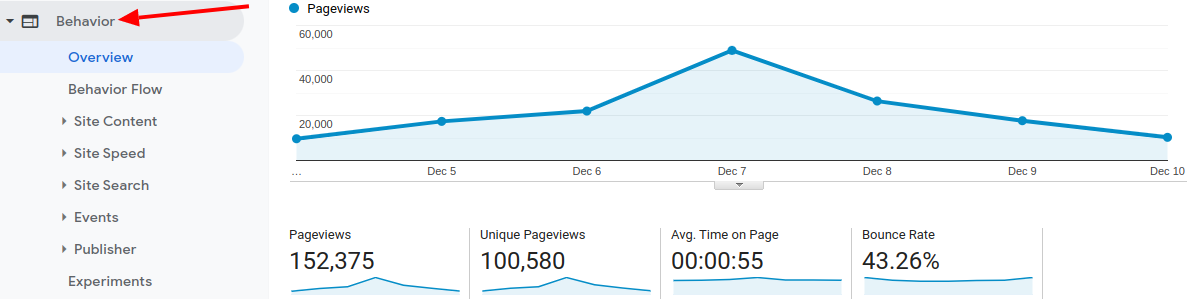
‘Engaged sessions are the basis of these metrics, which Google defines as ‘sessions lasting longer than 10 seconds.’ Sessions with two or more pageviews or screens and a conversion event are also covered under ‘engaged sessions.’ In GA4, you will find metrics like average engagement time, engaging sessions, engaged sessions per user, and engagement rate.
3. Monetization
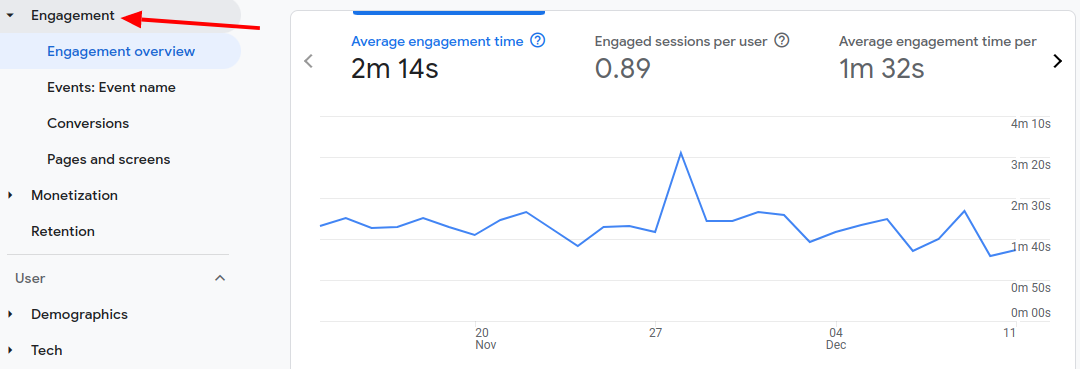
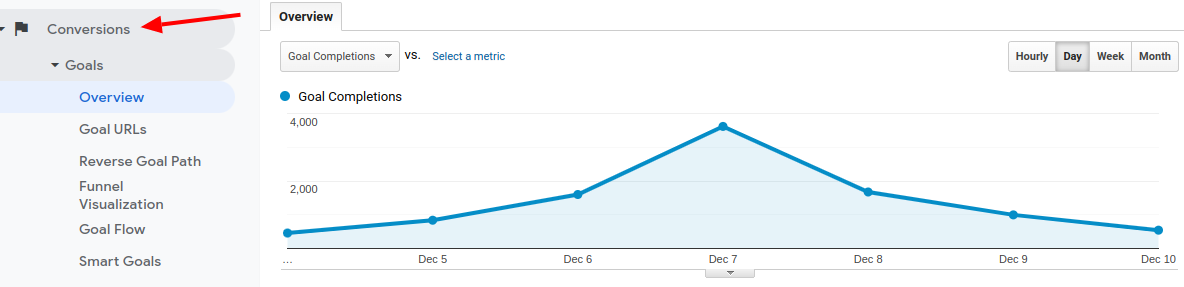
The former ‘conversions’ report in Universal Analytics has been replaced by monetization in GA4. Traditionally speaking, the monetization aspect was limited to only eCommerce in one or another in earlier years. Today, many aspects like eCommerce, ad revenue, and in-app sales are included in monetization. In GA4, all revenue streams will be considered while preparing monetization reports.
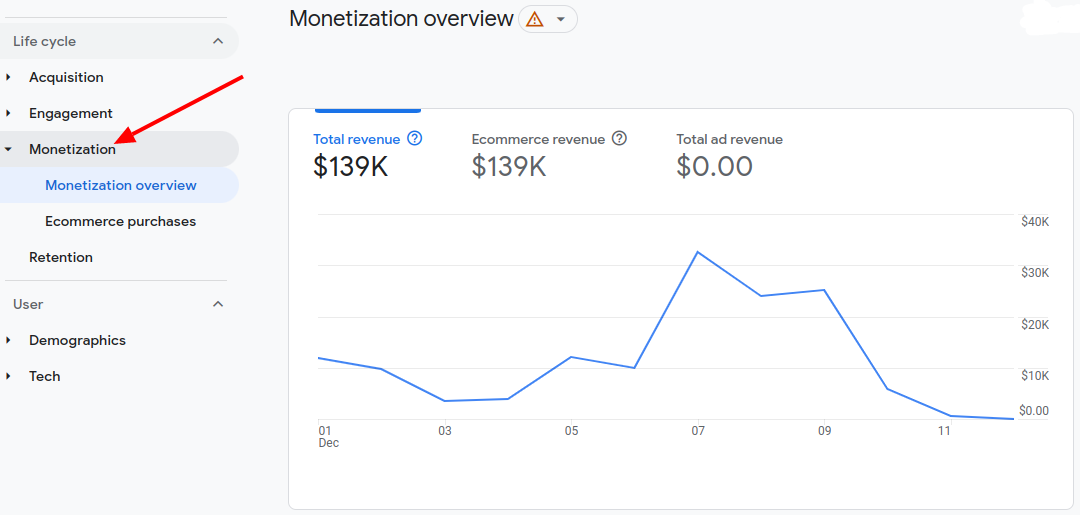
Consider letting experienced professionals handle, track, and prepare monetization reports to get an accurate revenue picture from analytics. You can hire a digital marketing company in Dallas to look after these tasks. The new monetization tab could be a bummer if you were not solely focused on money in your conversion reports generated in Universal Analytics. While the conversion reports in UA considered non-monetary conversions, including the attribution behind those conversions, it will no longer be the case with GA4.
4. Session-based Data Vs. Event-based Data
Universal Analytics (UA) collected session-based data wherein each session was made of different ‘hit types’, such as social interaction hits, eCommerce hits, page hits, and more. GA4 is entirely different in this regard.
In GA4, everything will be considered an event, whether a page view, app/screen view, event, social, exception, transaction/eCommerce, etc. It is why many view GA4 as an event-based platform.
While this change can give more information on how website/app users use our digital properties, it also means that two different datasets won’t play well together. This could mean you may have to start from zero after switching to GA4 from UA.

5. Event and Conversion Creation
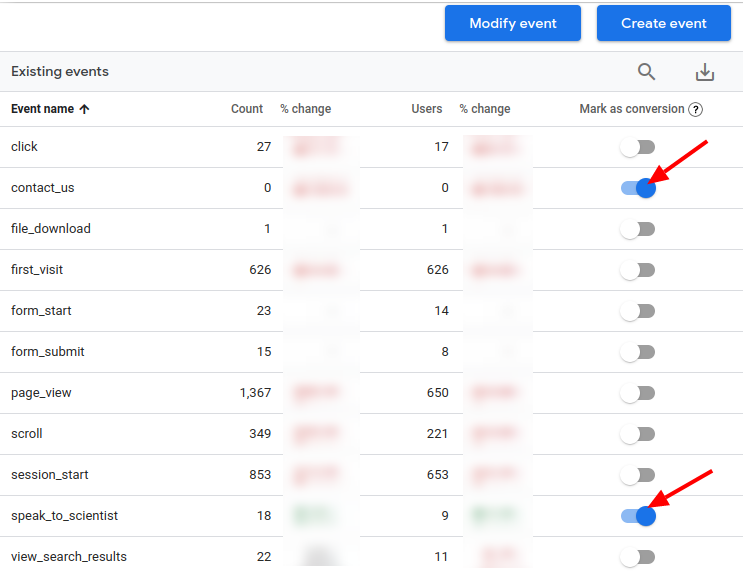
Events are treated and passed through differently to GA4. With UA, the days of labels, action, and categories will also be gone. GA4 will bring new parameters, in-platform event creation, and enhanced measurement. If you want events like page views, scrolls, video engagement, outbound clicks, downloads, etc., to automatically get collected in GA4, you have to keep enhancement measurements on while setting up your data stream.

If you want to collect any additional event not falling under enhanced measurement, you can set it up using parameters and conditions. When collecting an event in GA4, the easy option to mark it as a conversion will always be there. If all this sounds too technical, it is best to let a reliable Dallas digital marketing agency do the work.
6. Predictive Insights with Modern Machine Learning
One drawback of Universal Analytics was that it only tracked past data. But GA4 is coming to fill this gap. In GA4, Google allows businesses and digital marketers to dive into the future to predict the future behavior of users, thanks to its advanced machine learning model.
For example, using this feature in GA4, you can predict how likely a user or customer is to make a purchase or predict potential revenue you can earn in the next 28 days. Although it is limited in predicting future insights, you can expect better updates and improvements rolling out in the coming months.
Other Differences Between UA and GA4
We have already discussed the significant differences between GA4 and UA, but there’s more to learn. The essential points of difference between them are enlisted below.
- Universal Analytics was built for session tracking, whereas GA4 is built for user tracking.
- Universal Analytics needed cookies to perform, but GA4 can run efficiently even without cookies.
- Universal Analytics processes events in a little under four hours, whereas GA4 will take up to 72 hours to process the same.
- Universal Analytics supports multiple views, but GA4 doesn’t (it may change in the future).
- Universal Analytics has significantly more standard reports, whereas GA4 contains fewer standard reports. But GA4 does support creating custom-built reports through explorations.
- Universal Analytics stored user data for up to 50 months, but GA4 will only store user-specific data for up to 14 months.
While GA4 can look intimidating initially, it can become an excellent tool for gathering deep user insights. What makes people like the concept of GA4 is the introduction of cookie-less tracking, enhanced privacy and security means, custom-centric measurement, sophisticated machine learning insights, and much more.
Make a Smooth Switch from UA to GA4
Transitioning to a new analytics platform can be difficult for some, but it is worth the new features offered by GA4. Google is constantly making changes and improvements to enhance the efficiency and use of this new analytics platform, so you can be hopeful while making a switch. Getting used to the new interface, features, and reports can be daunting, but it can be overcome with time. If you want to avoid any goof-ups while making a switch from UA to GA4, let a known digital marketing agency in Dallas handle this transition.
In the meantime, you can add GA4 in parallel to your Universal Analytics dashboard until you fully transition. Setting up conversions and validating numbers against UA is another vital step. Start using GA4 conversions in Google ads, if you haven’t already started doing it. If you want to utilize your time on more crucial tasks for your business and want someone experienced to handle the migration, contact a Dallas digital marketing company at the earliest.